● Smile Design   by ReplicAIted

What if your patients could see their new smile before they said yes?

Turn one patient photo into an animated smile preview.

For dental practices. Terms of Service · Photo and Video Release

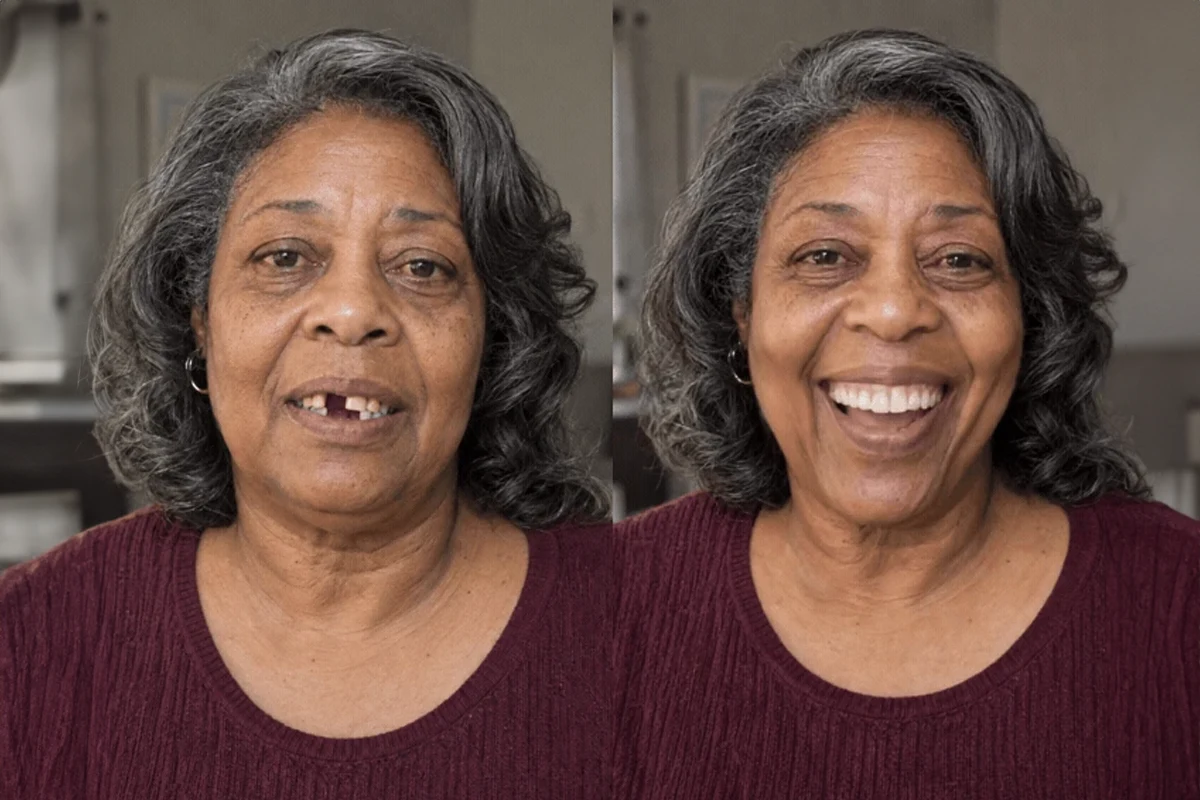
Original patient · Animated Smile Design

One photo. A possibility they can see.

Illustrative preview. Not an actual treatment result or a guarantee of outcomes.

A couple laughing together outdoors

Make the possibility personal.

Start with the person behind the smile.

—  THE VISUALIZATION GAP

Your patients can’t see what you can see.

You understand what veneers, whitening, bonding, clear aligners, and restorative treatment may make possible. Your patient may be thinking about something else entirely.

Cost

Uncertainty

Discomfort

Time

Risk

An outcome they have to imagine

Sometimes the barrier is not wanting a better smile. It is being unable to picture it.

—  THE INSIGHT

People believe what they can see.

Before treatment, you are describing an idea. Smile Design gives that idea a face—their face.

An animated preview helps patients connect the conversation to how they want to look and feel. The possibility becomes personal, visible, and easier to discuss.

FROM IMAGINING

“Imagine what your smile could look like…”

TO SEEING A POSSIBILITY

“That could be me?”

—  INTRODUCING SMILE DESIGN

Show them their smile before you create it.

A smile visualization application for doctors and their teams. Bring a patient’s own image into the conversation and make treatment possibilities easier to explore.

Whitening

Clear aligners

Implant restorations

Veneers

Smile Design — by ReplicAIted. Visualize the possibility; guide the clinical conversation.

—  THREE SIMPLE STEPS

One photo. A different conversation.
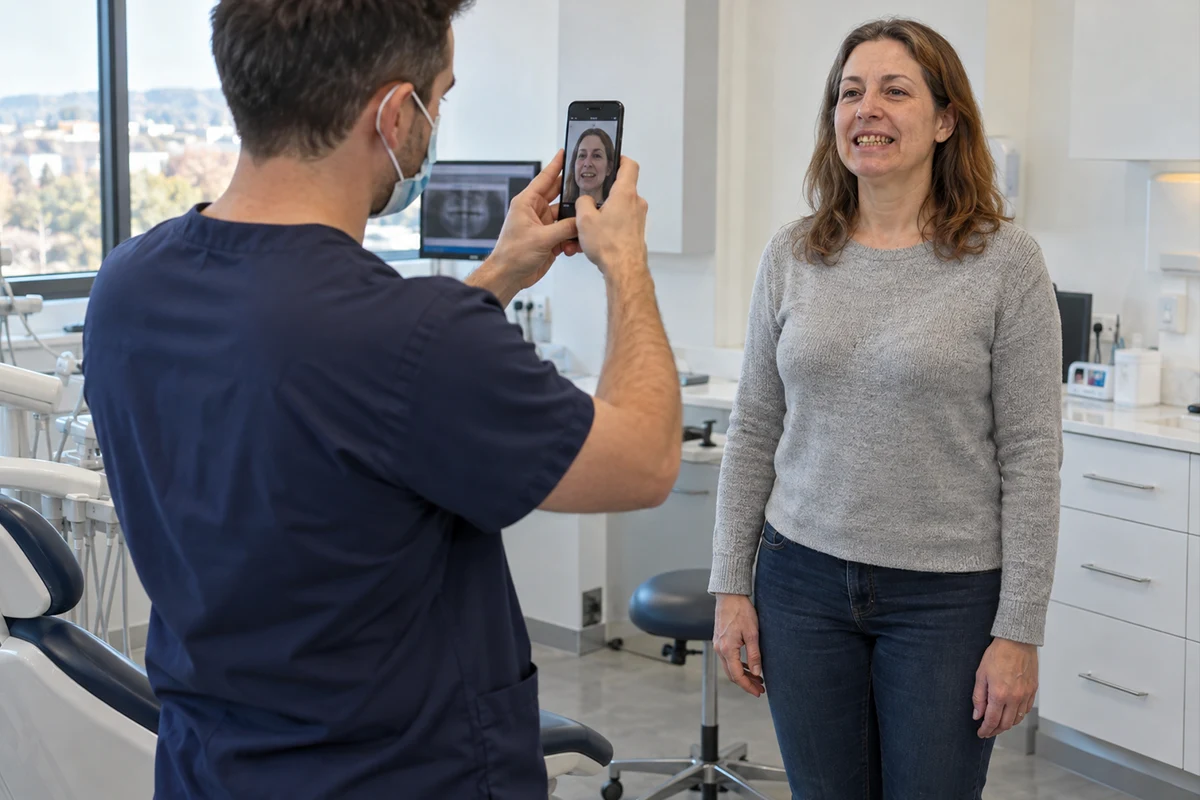
01

Take a photo

Take a clear, front-facing photo of the patient’s smile with their permission.

02

Create their Smile Design

Turn the photo into a personalized visualization of a new smile.

03

Start the conversation

Review the preview together. Explore what matters to the patient and discuss appropriate treatment options.

—  THE PRODUCT IN ACTION

See the possibility.

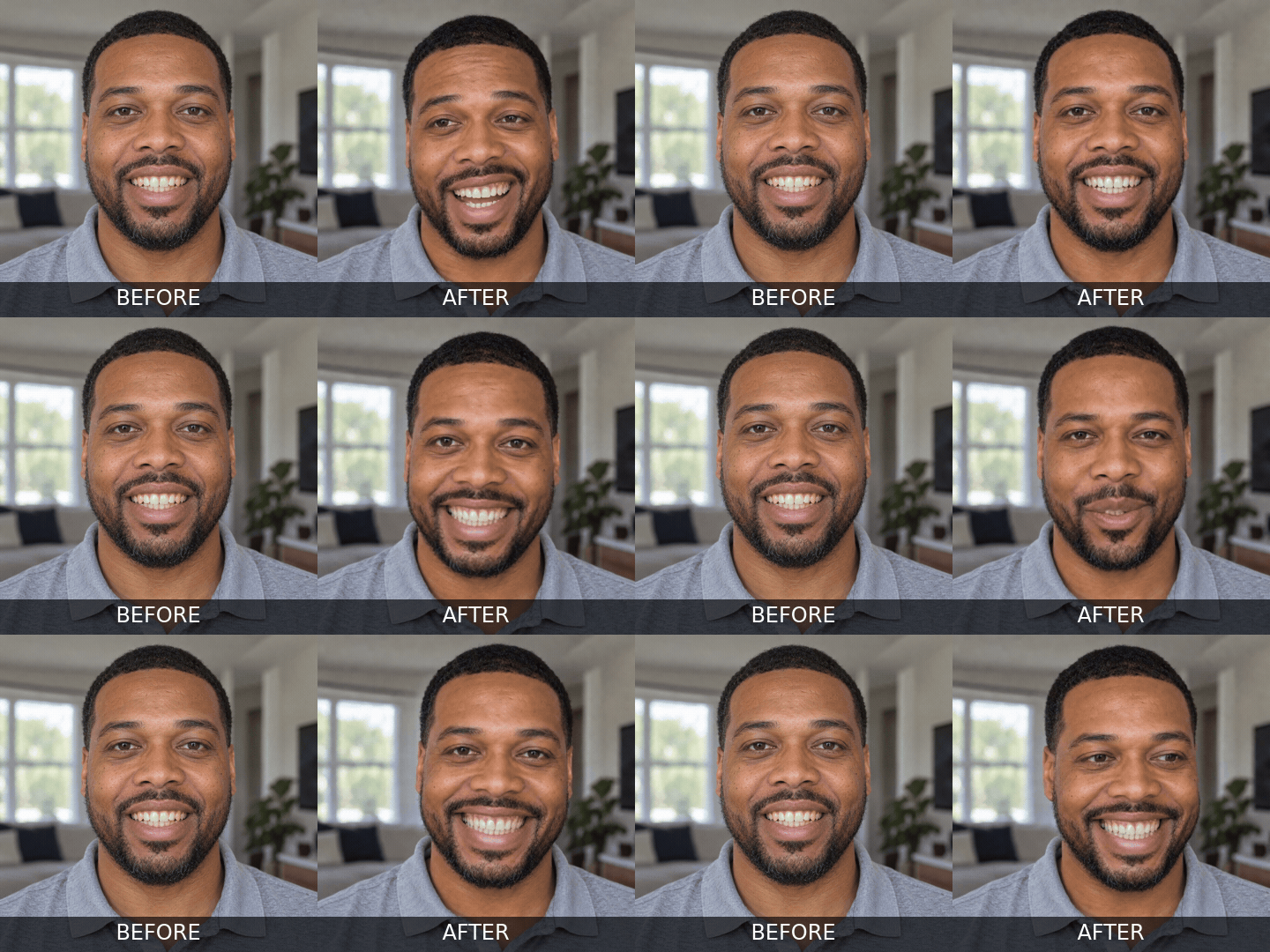
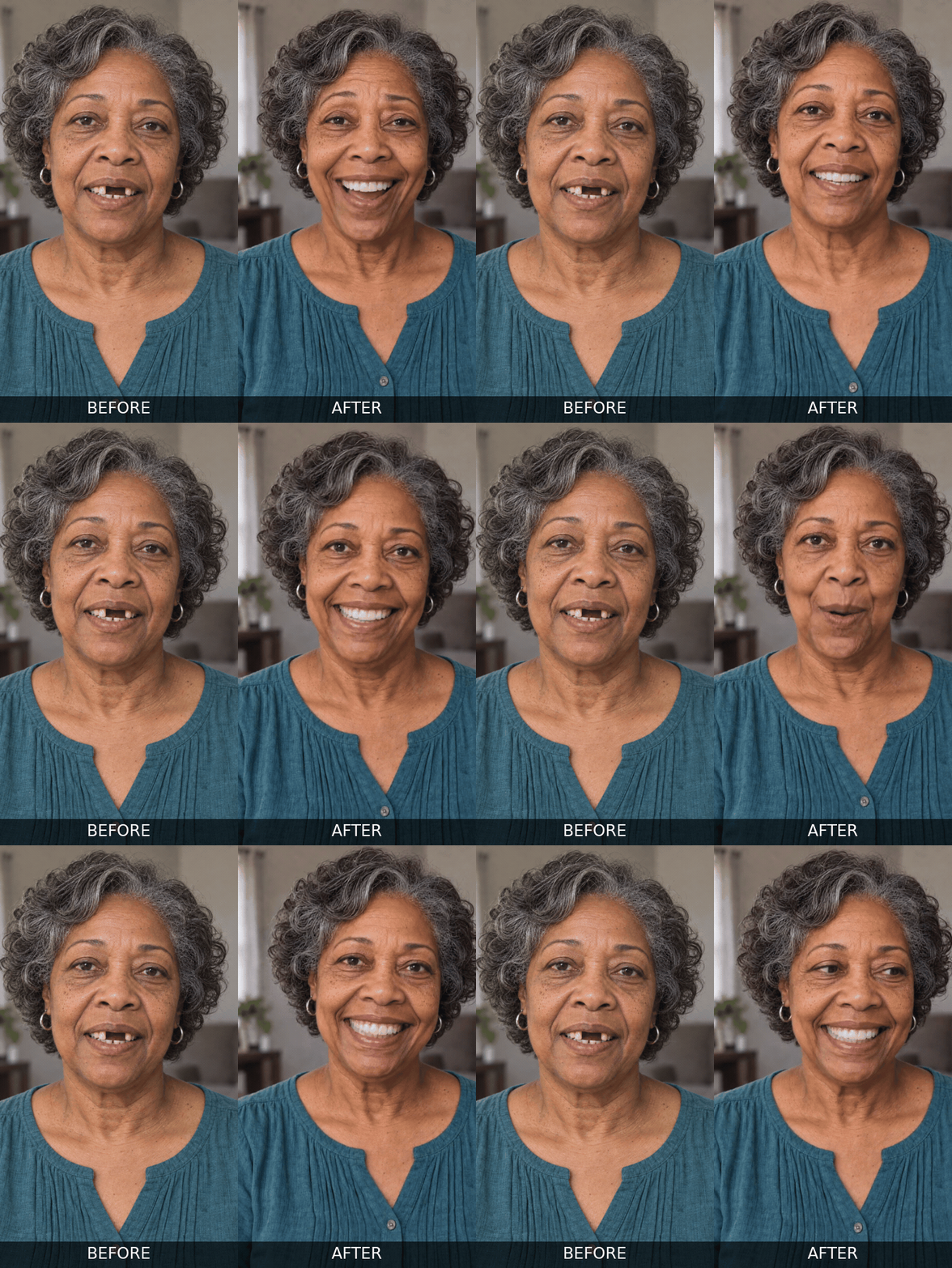
An original smile beside a personalized visualization. Choose a category to explore the possibilities.
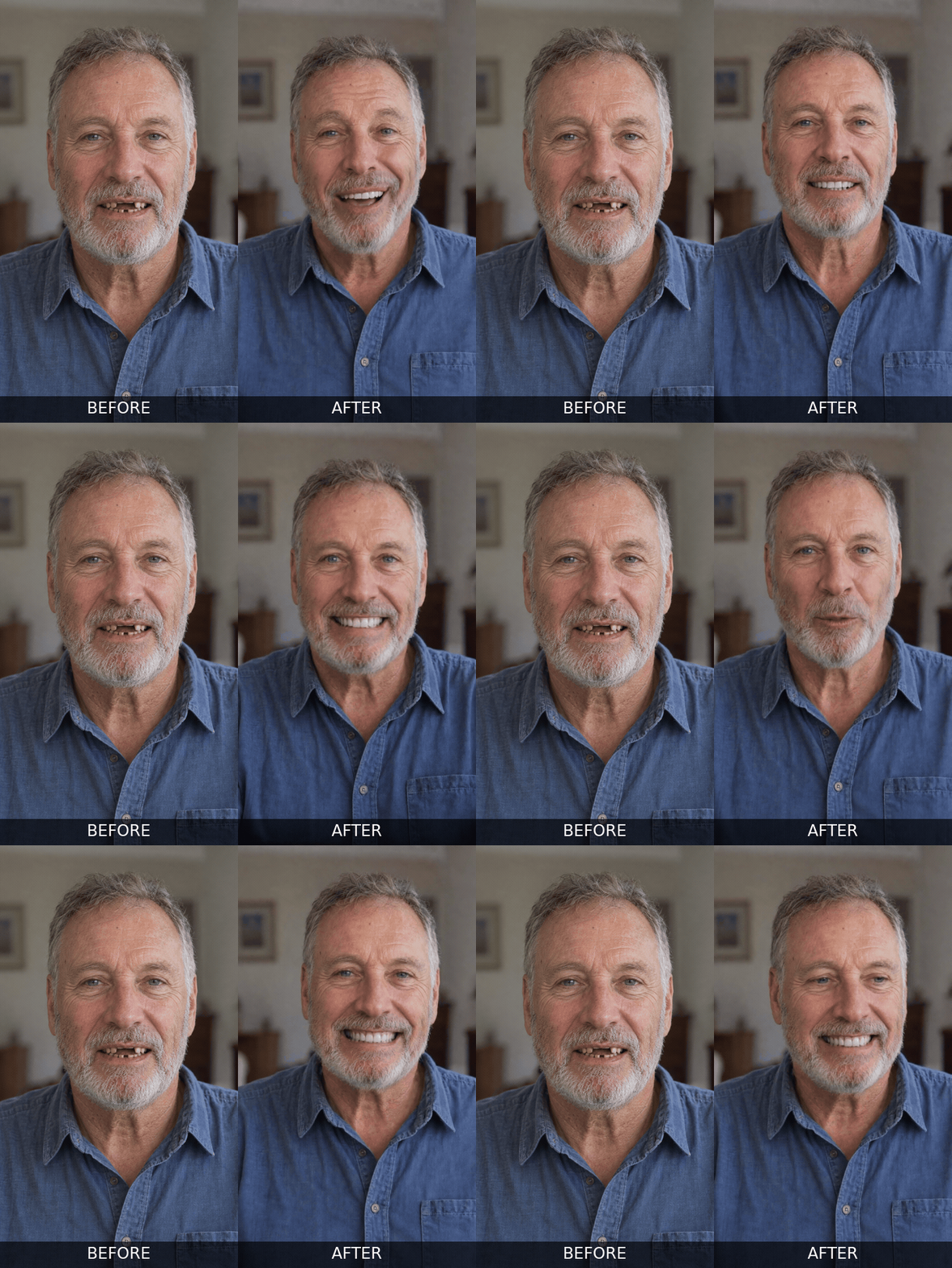
Missing teeth smile preview for a man: animated illustrative Smile Design example

Before → Smile Design · Example 01

Missing teeth smile preview for a woman: animated illustrative Smile Design example

Before → Smile Design · Example 02

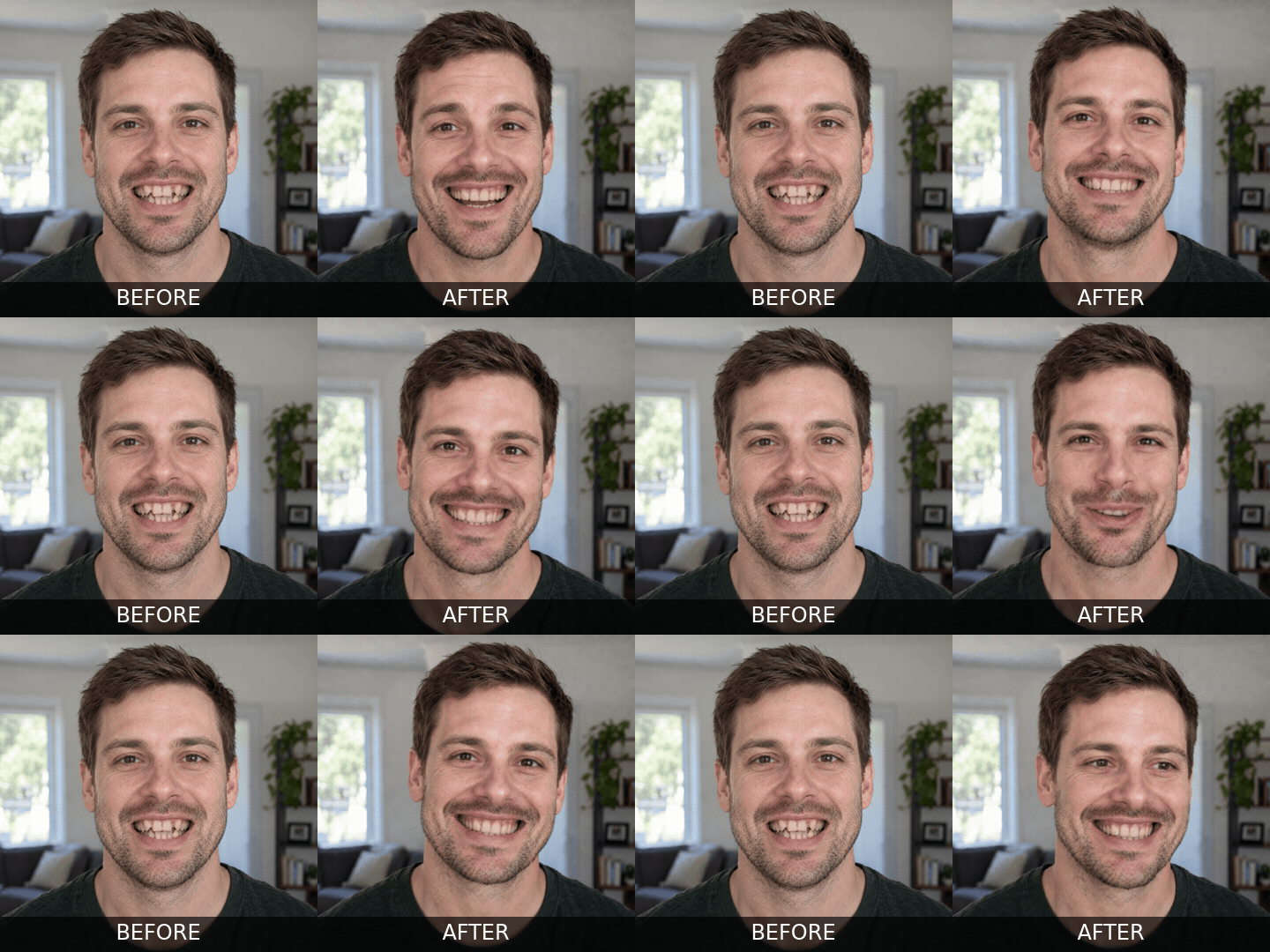
Crooked teeth smile preview for a man: animated illustrative Smile Design example

Before → Smile Design · Example 03

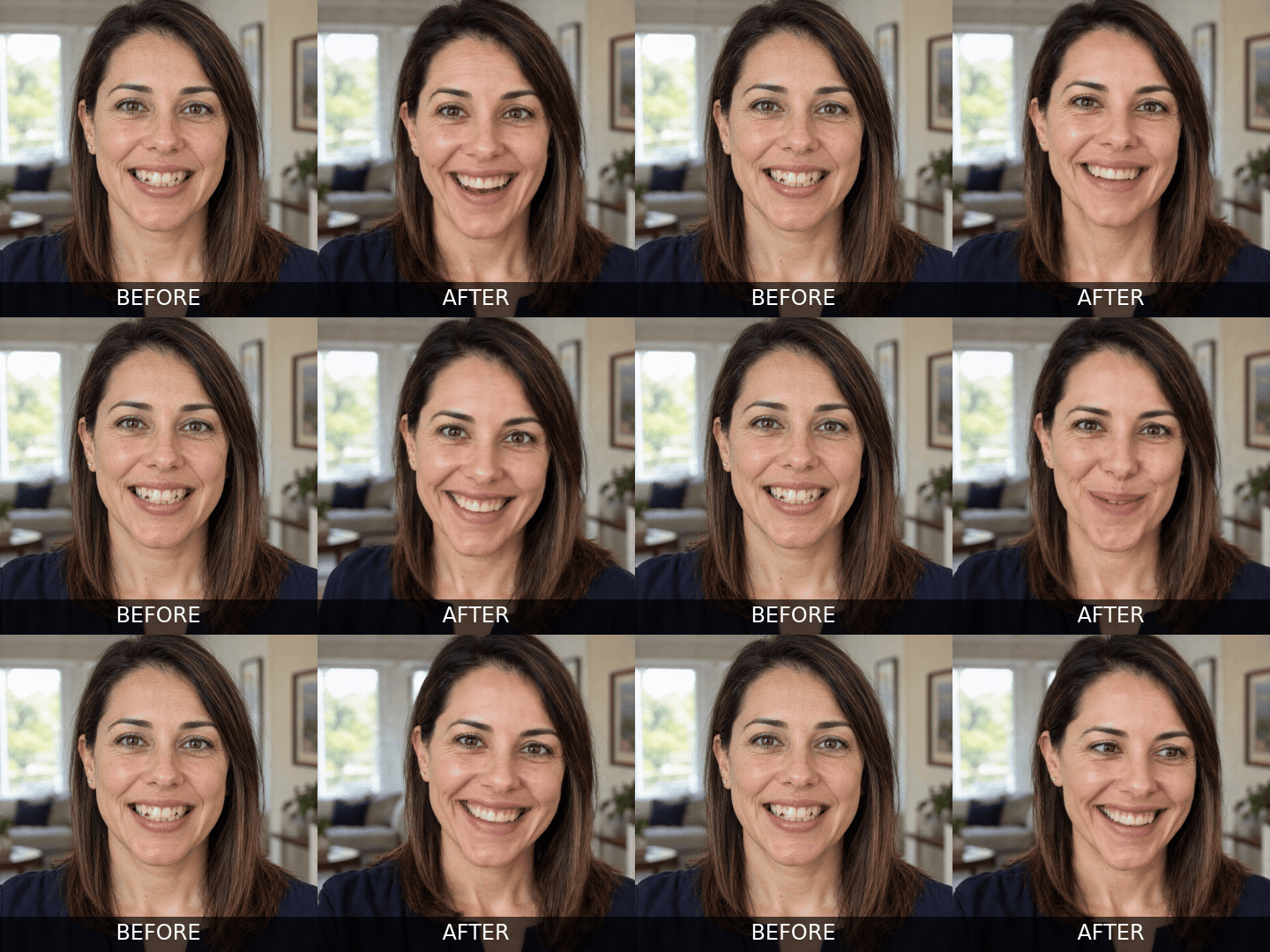
Crooked teeth smile preview for a woman: animated illustrative Smile Design example

Before → Smile Design · Example 04

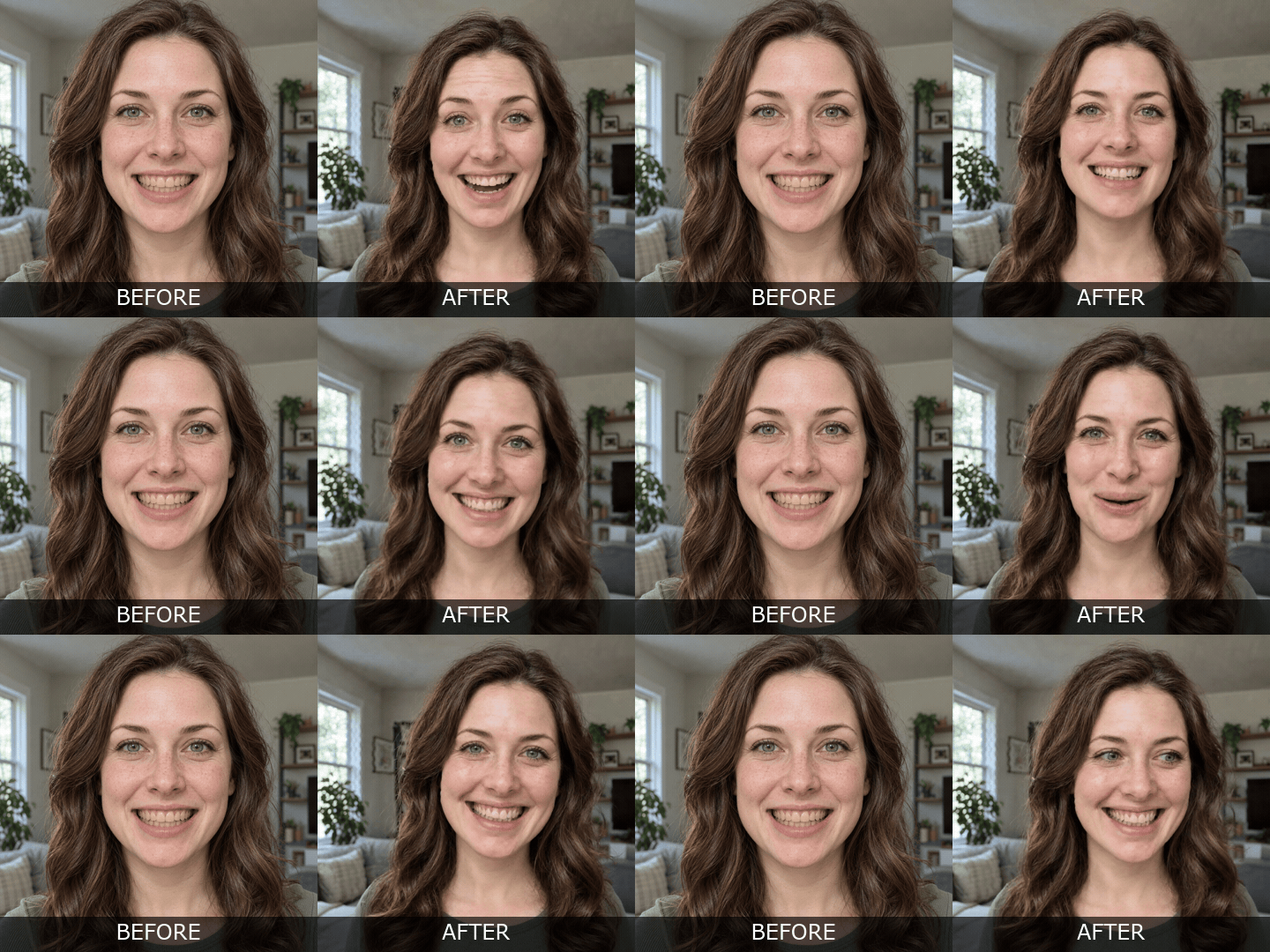
Stained or yellow teeth smile preview for a woman: animated illustrative Smile Design example

Before → Smile Design · Example 05

Stained or yellow teeth smile preview for a man: animated illustrative Smile Design example

Before → Smile Design · Example 06

Illustrative visualizations, not actual treatment results or procedure-specific predictions. Clinical assessment determines what is achievable. Read the photo and video disclaimer.

—  A NEW PATIENT EXPERIENCE

Dentistry has always been hard to demo. Until now.

A sports car is more than specifications. The connection starts when someone can picture themselves behind the wheel.

A cosmetic consultation needs that personal connection, too. Confidence can be difficult to explain. Smile Design lets patients see a possibility on their own face—and gives your team a meaningful place to begin.

Move the conversation from “I need to think about it” toward “Let’s talk about what might be possible for me.”

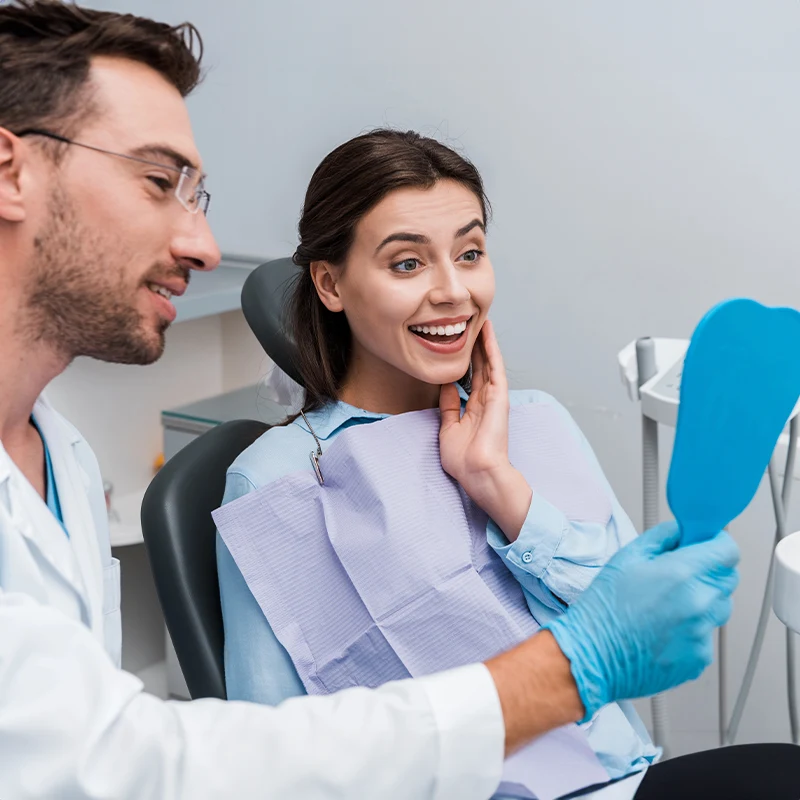
Patient and dentist sharing a personal smile consultation

—  WHY IT MATTERS TO YOUR PRACTICE

A better consultation creates a better opportunity to say yes.

A more engaging consultation

Give patients something personal to react to, ask about, and discuss.

A tangible treatment conversation

Use a shared visual reference to connect smile goals with your clinical guidance.

More personal involvement

Help patients put words to the details and feelings that matter to them.

A memorable practice experience

Make visualization a distinctive part of how your team introduces cosmetic possibilities.

Content worth revisiting

With appropriate permission, use visual examples in follow-up and patient education.

A natural next step

Bridge initial interest and an informed discussion about whether to move forward.

Visualization → Emotional engagement → Better conversations → Opportunity for case acceptance

—  ONE VISUALIZATION. MORE POSSIBILITIES.

More than a consultation tool.

A Smile Design can support the conversation before, during, and after the visit.

01

Consultation

Give the patient a visible starting point for discussing the smile they want.

02

Follow-up

Reconnect around the patient’s own goals and the questions raised during the consultation.

03

Website & marketing

Use appropriately consented examples to demonstrate your services and support a focused lead-generation landing page.

04

Social content

Create before-and-preview-style content that introduces smile possibilities to your audience.

05

Referral conversations

Give patients a memorable experience they may want to talk about or show others.

Use patient images only with appropriate permission. Keep shared previews clearly identified as visualizations.

—  BUILT FOR COSMETIC DENTISTRY

Where Smile Design fits.

Bring a visual starting point to the conversations where patients have the most to imagine.

Veneers

Cosmetic bonding

Whitening

Invisalign / clear aligners

Full-mouth reconstruction

Implant-supported restorations

Cosmetic consultations

Start with the goal. Then discuss the options.

A patient may want a brighter smile, a more even appearance, or the confidence to smile openly. The preview helps surface those goals. Your examination and clinical judgment determine the care that may be appropriate.

—  THE PRACTICE ECONOMICS

What would one more case be worth?

Think about one additional accepted cosmetic case in your practice. What would it contribute after the costs of delivering that treatment?

Use your own numbers to evaluate Smile Design. Compare the product investment with the contribution from additional cases it may help influence—not just the headline treatment fee.
An illustrative conversation starter

$5,000

Collected revenue from one additional case

− $2,000

Incremental costs of delivering that treatment

= $3,000

Contribution before the Smile Design investment and other overhead

Hypothetical example only. These are not average fees, product prices, or a forecast. Case acceptance and financial results are not guaranteed.

A couple enjoying a relaxed moment together

—  KEEP THE CONVERSATION MEANINGFUL

Give them something stronger to remember.

After a consultation, details can fade. Everyday priorities return. A patient may remember the price more clearly than the possibility.

Smile Design gives your team a personal reference for follow-up: the smile that started the conversation, the details the patient noticed, and the questions they still want answered.

A thoughtful follow-up begins with their goals, not another sales pitch.

—  EASY FOR YOUR TEAM

No new software degree required.

Keep the patient experience simple: take a photo, create a Smile Design, and review the preview together.

Bring your treatment coordinator or practice manager to the demo. Walk through the actual workflow and see where the application would fit into your day.

  • See the photo-to-preview experience.
  • Discuss how your team will introduce it.
  • Review access, setup, and the next steps.

—  SMILE DESIGN FOR YOUR PRACTICE

Start with a practice demo.

See the product with your team, explore your intended use, and discuss the package and current pricing that fit your practice.

Bring your questions about consultation use, follow-up, and patient-facing marketing.

—  THE BIGGER OPPORTUNITY

What if your practice could replicate more than smiles?

Your results. Your reputation. Your expertise. One connected approach to making more of what already makes your practice valuable.

FEEL IT

Smile Design

Visualize the possibility. Help patients connect with a different smile and begin a more personal treatment conversation.

PROVE IT

5-Star Reels

Your patients already say great things about you. Turn their praise into professional, platform-ready video content.

Bring approved reviews into branded Reels that help people discover what patients value about your practice.

Patient praise → Branded video → Shareable social content

GROW IT

Core

You don’t need to spend your life making content to stay visible.

Use your approved digital likeness, voice, and messaging to turn your expertise into branded videos for social channels, YouTube, and advertising.

Your expertise → Your approved presence → Ongoing content

—  WHY REPLICAITED

More possibility. Less complexity.

Technology should give your practice useful systems, not more work. ReplicAIted brings visualization and content into a practical approach built around the people, reputation, and expertise you already have.

Start with a real conversation about your practice. See the experience, ask the questions that matter to your team, and decide how it fits.

A visual aid. Your clinical expertise.

Smile Design supports a conversation about appearance. It does not examine teeth, determine treatment, or guarantee an outcome. Diagnosis, candidacy, and treatment planning remain with the treating doctor.

—  QUESTIONS FROM PRACTICE BUYERS

Get to know the application.

The workflow, the possibilities, and what to discuss before bringing Smile Design into your practice.

Smile Design is a smile visualization application from ReplicAIted for doctors and dental teams. It turns a patient photo into a video preview of a transformed smile, giving your practice a personal visual reference for discussing the patient’s goals.

Begin with an appropriately consented, clear, front-facing patient photo. Create the smile visualization, then review it together during a consultation. Ask what the patient likes and use your clinical assessment to explain the options that may be appropriate.

No. The visualization is illustrative and does not diagnose a condition, determine candidacy, prescribe treatment, or predict a result. The doctor remains responsible for examination, treatment planning, and explaining realistic outcomes.

Use a preview when a patient is interested in changing their smile but has difficulty describing what they want. It can provide a shared visual starting point for discussing preferences before the doctor explains the relevant clinical considerations.

Practice owners, dentists, treatment coordinators, and team members involved in smile consultations can join. Bring the people who will evaluate the application and decide how it would fit your patient experience.

Request a practice demo to review current pricing, availability, access options, and what setup would involve. The team can discuss your intended use and answer implementation questions before you decide to purchase.

Book a Smile Design demo with ReplicAIted. See the photo-to-preview experience, review how your team would introduce it during consultations, and discuss the next steps for bringing the application into your practice.

—  SEE IT FOR YOURSELF

Try it on a real smile.

See what happens when the possibility becomes personal. Book a Smile Design demo and explore what it could bring to your patient conversations.

See the workflow. Discuss pricing. Plan your next step.

A couple sharing a spontaneous smile outdoors